Configuration
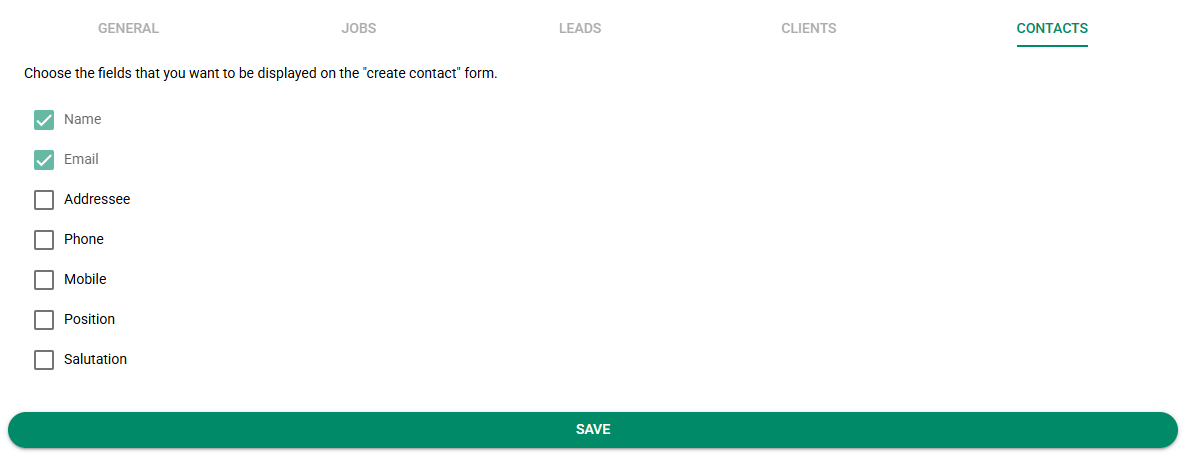
Log into your ZeetaMax account and navigate to the Settings > Google Workspace Settings.
General
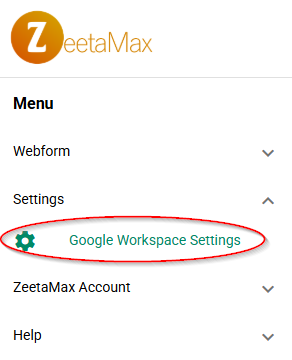
Choose if you want to use AI to assist with auto-populating forms. Unless your organisations has a policy against using AI tools, we recomend having this option enabled.
Jobs
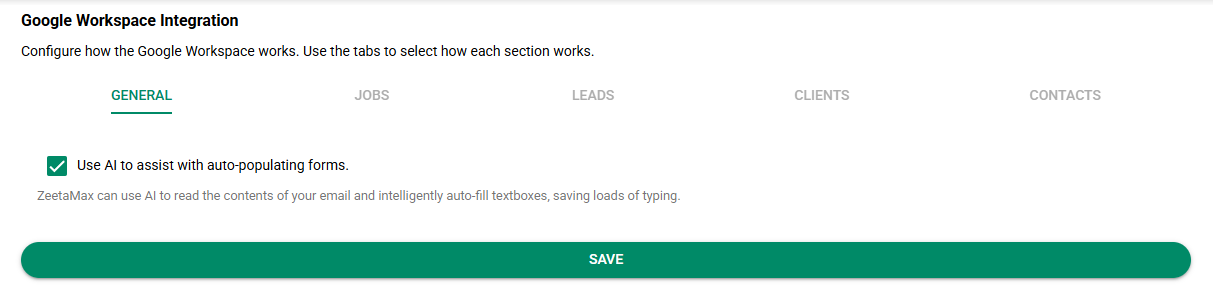
Choose which fields you want displayed on the "create job" form. If the item is selected, the field will be shown inside the Google Mail extension.
Default values are the default values for fields. If the field is shown on the create job form, the default value will be the value selected here. If the field is not shown, the default value will be used behind the scenes when creating the job.
Leads
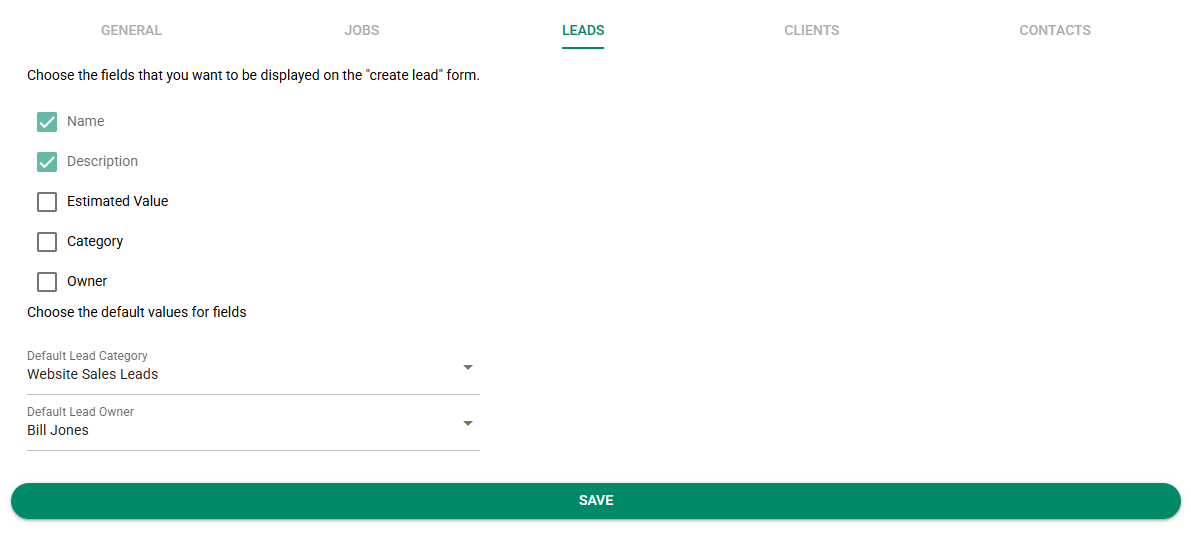
Choose which fields you want displayed on the "create lead" form. If the item is selected, the field will be shown inside the Google Mail extension.
Default values are the default values for fields. If the field is shown on the create lead form, the default value will be the value selected here. If the field is not shown, the default value will be used behind the scenes when creating the lead.
Clients
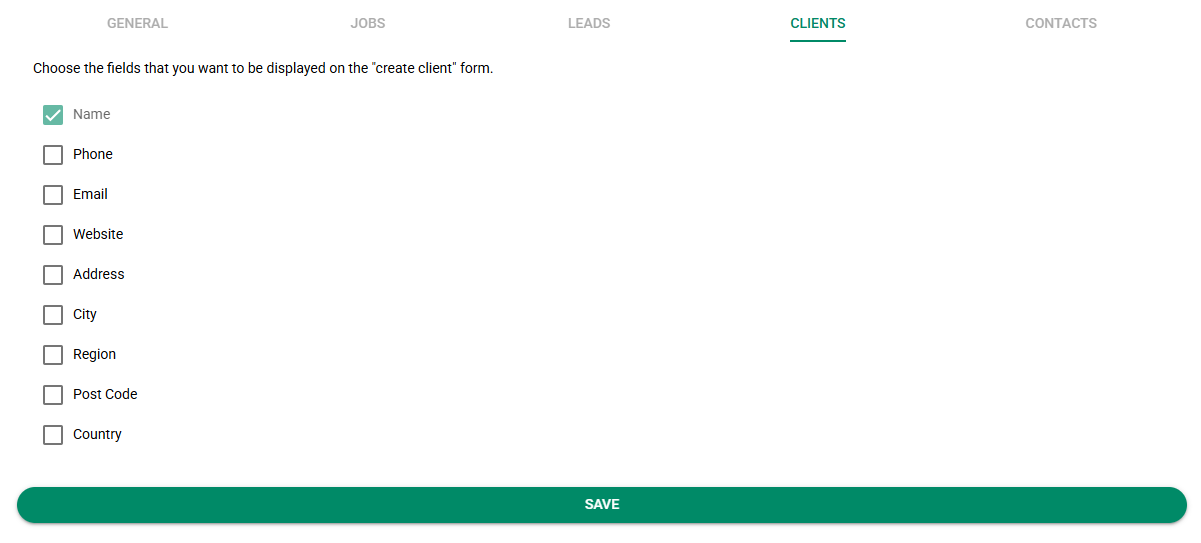
Choose which fields you want displayed on the "create client" form. If the item is selected, the field will be shown inside the Google Mail extension.
Contacts
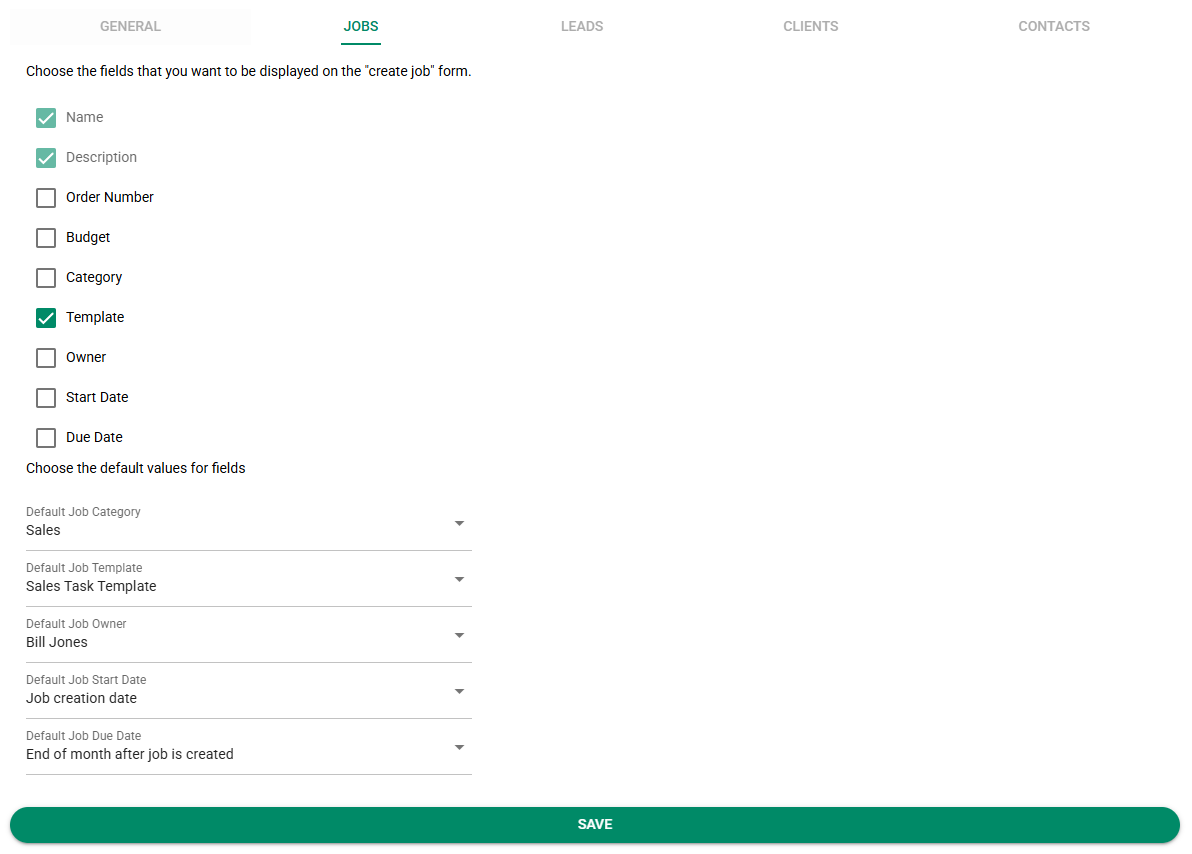
Choose which fields you want displayed on the "create contact" form. If the item is selected, the field will be shown inside the Google Mail extension.