Google Workspace
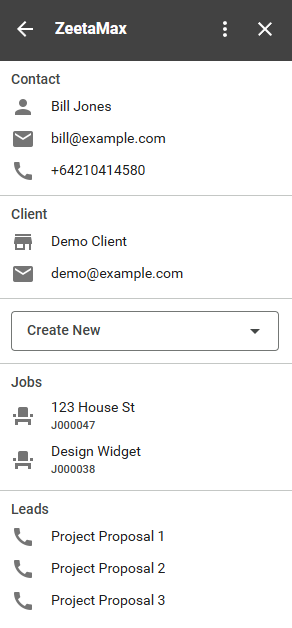
Access WorkflowMax information from directly inside Google Mail. Create Clients, Contacts, Jobs, & Leads as well as having the contacts information load up from WorkflowMax when you open an email from an existing Contact.
How it works
- Subscribe to the ZeetaMax Google Workspace module and configure to your needs
- Add the ZeetaMax Google Workspace extension to your Google Account.
- Use the ZeetaMax Google sidebar to access your WorflowMax data
Features
- Customizable - Choose which fields to show inside Google Mail.
- Choose defaults - Choose default values for Lead category, Job Template etc to have Jobs and Leads create as you want them to.
- Create from Email - Create Contacts, Clients, Leads, and Jobs from an email without leaving Google Mail.
- AI Integration - Optionally use AI to pre-populate fields from the text of the email.
- Load Contact - Automatically load information relating to an existing contact simply by opening the email.
Future Features
These are features that are planned for the future. If you have a feature request, or are interested to find out more about the upcoming features, please let us know by contacting us at hello@zeetamax.com.
- Custom Fields - Add custom fields to your webform to capture additional information.
- Docs and Sheets - Reference projects, quotes, leads etc from within google docs.